Database Management
Each WordPress app includes a managed MySQL database. WordPress apps always use MySQL; other engines are not available for WordPress. For databases on non-WordPress apps, including PostgreSQL, see the Databases documentation.
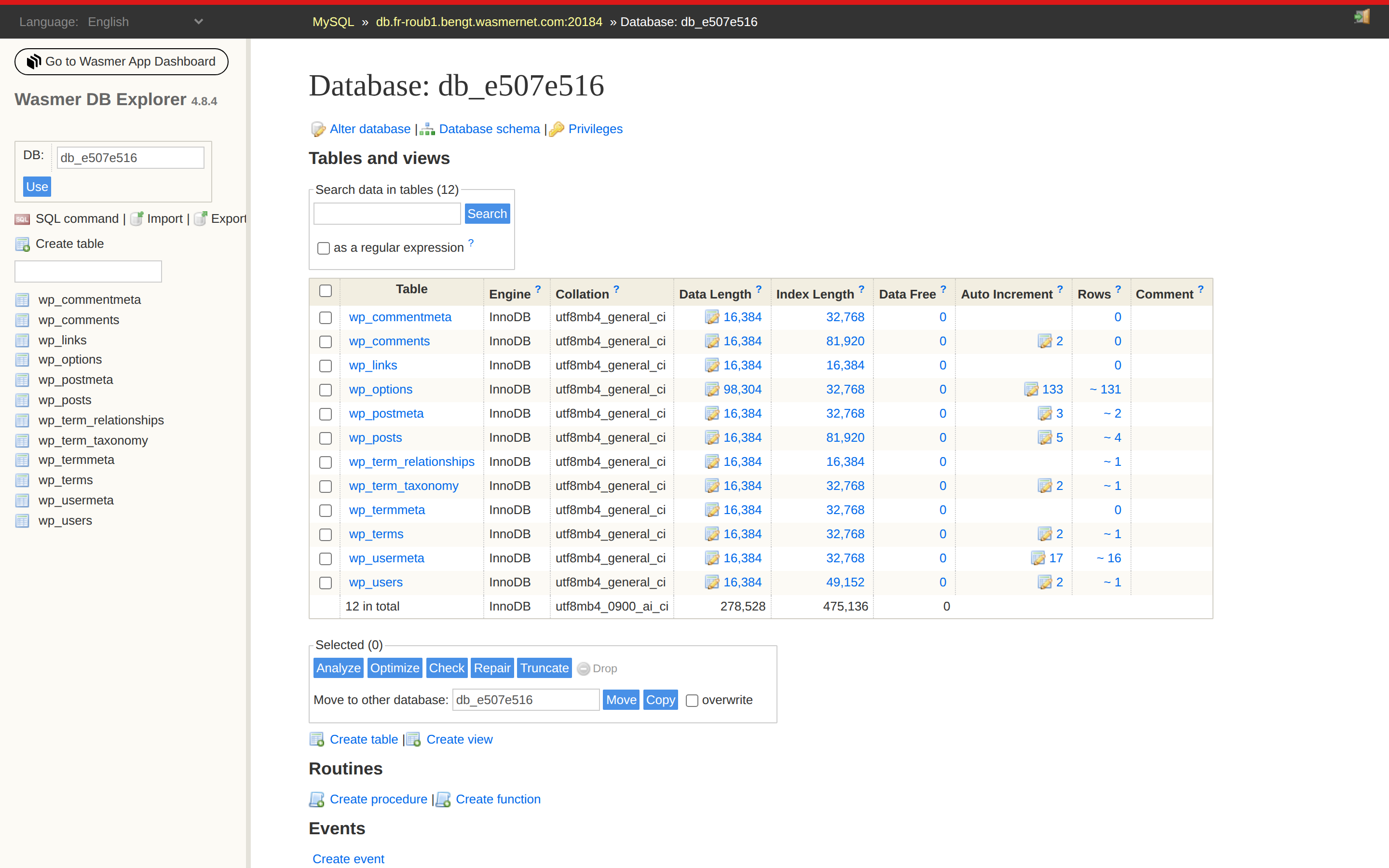
The simplest way to inspect the database is through the built-in DB Explorer, which opens an Adminer UI in your browser.
Open the database in Adminer
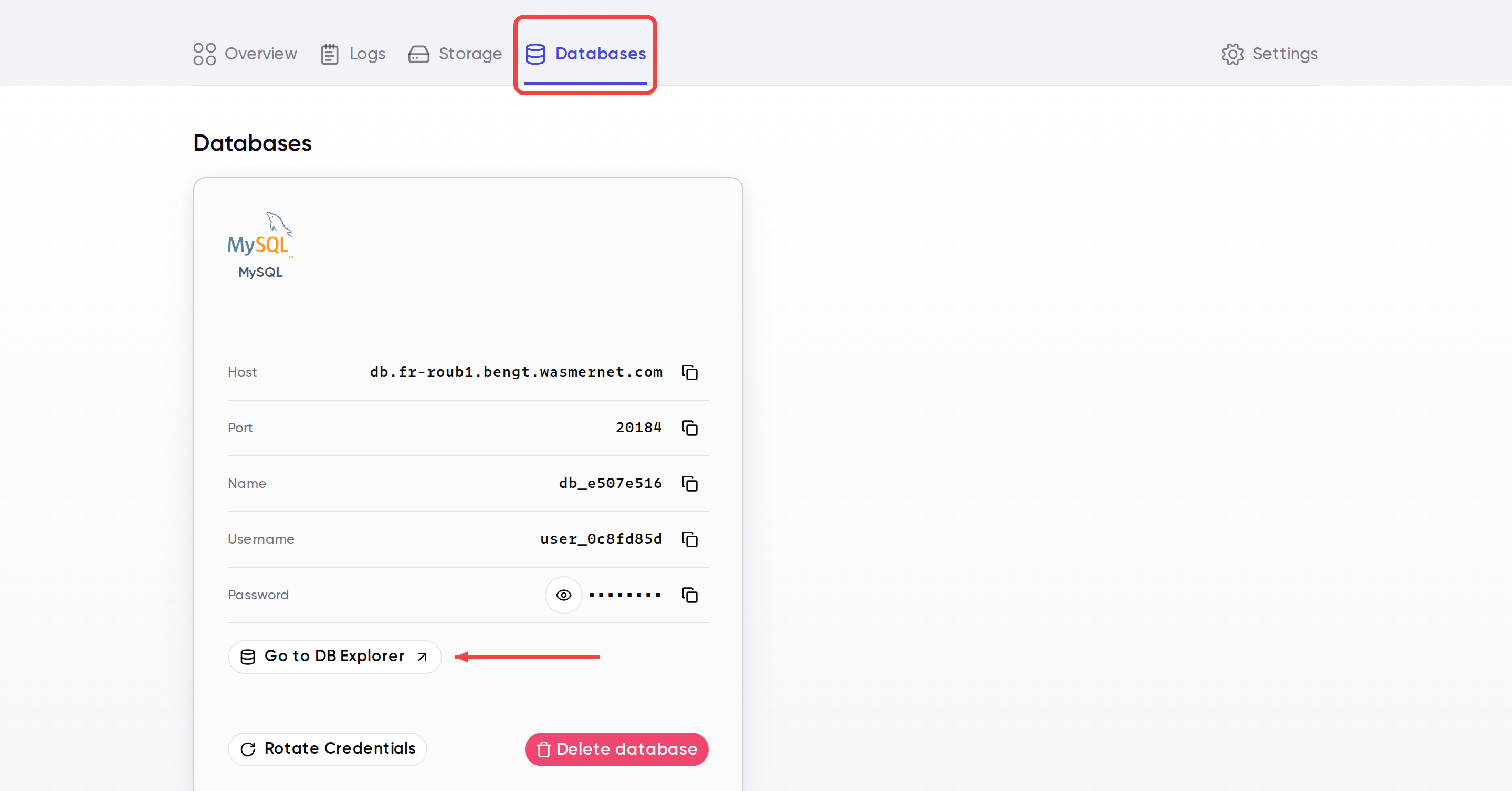
- Open the Databases tab for your app.
- Review the database card if you need the host, port, username, or password.
- Click Go to DB Explorer.
- Browse WordPress tables such as
wp_options,wp_posts,wp_users, andwp_terms.
When to use it
The DB Explorer is useful when you need to:
- Inspect WordPress tables directly
- Verify a setting in
wp_options - Check whether content, users, or metadata exists
- Troubleshoot a plugin or theme issue that affects stored data
Editing production data directly in the database can break your site immediately. Make small, targeted changes only when you understand the impact.
Last updated on